
1
Set the scene
Start with context
Fill the frame
2–3 ft for close-ups; keep ladders, cords and workers fully in view.
A safety compliance dashboard turns saved inspections into a current view of visible workplace conditions. OSHA Scan separates confirmed findings, items needing review, positive observations, and completed corrections, while scores, actions, and JHA outputs use confirmed findings only. Teams can review evidence, dated trends, locations, and corrective-action progress, then export reports as PDF or Excel. It is an inspection dashboard—not an OSHA filing system, incident tracker, training system, or compliance verdict.
Free · No account needed to scan · You may be asked for the free phone Access Pass
A spreadsheet can summarize inspections only after someone collects the forms, normalizes the answers, and updates the charts. That delay leaves safety leaders reviewing last month's paperwork while today's conditions keep changing.
OSHA Scan starts with a job-site photo. The analysis identifies visible findings, suggests corrective actions, and calculates a score. Saved, dated inspections then build a dashboard view without requiring the field team to retype the same observation into another system.
The dashboard is deliberately focused. It helps teams see inspection activity, visible hazards, score movement, and checklist completion. Human review is still required, and measurements, permits, training records, incidents, and regulatory filings stay in the systems and processes designed for them.
Teams use different names for the same operational need: safety dashboard, EHS dashboard, HSE dashboard, or OSHA compliance dashboard. Here, those terms refer to the inspection evidence OSHA Scan actually records: scores, hazards, corrective-action status, recent inspections, locations, and dated trends.
The score summarizes visible findings in a photo; it is not an OSHA certification. Trends help a team notice whether a location or area is improving over time, but they do not calculate incident rates, training completion, or enterprise-wide performance comparisons.
Every tile and trend is grounded in saved photo inspections and checklist status.
See the 0-100 score generated from the number and severity of visible findings in each scan.
Follow score movement over saved inspections for an area instead of relying on a single snapshot.
Review which suggested checklist items remain pending and which have been marked completed.
Organize inspection records by location and return to recent reports, weather, chemicals, and saved resources.
An illustrative public sample of the real report interface shows the scored findings and checklist progress that feed the dashboard.
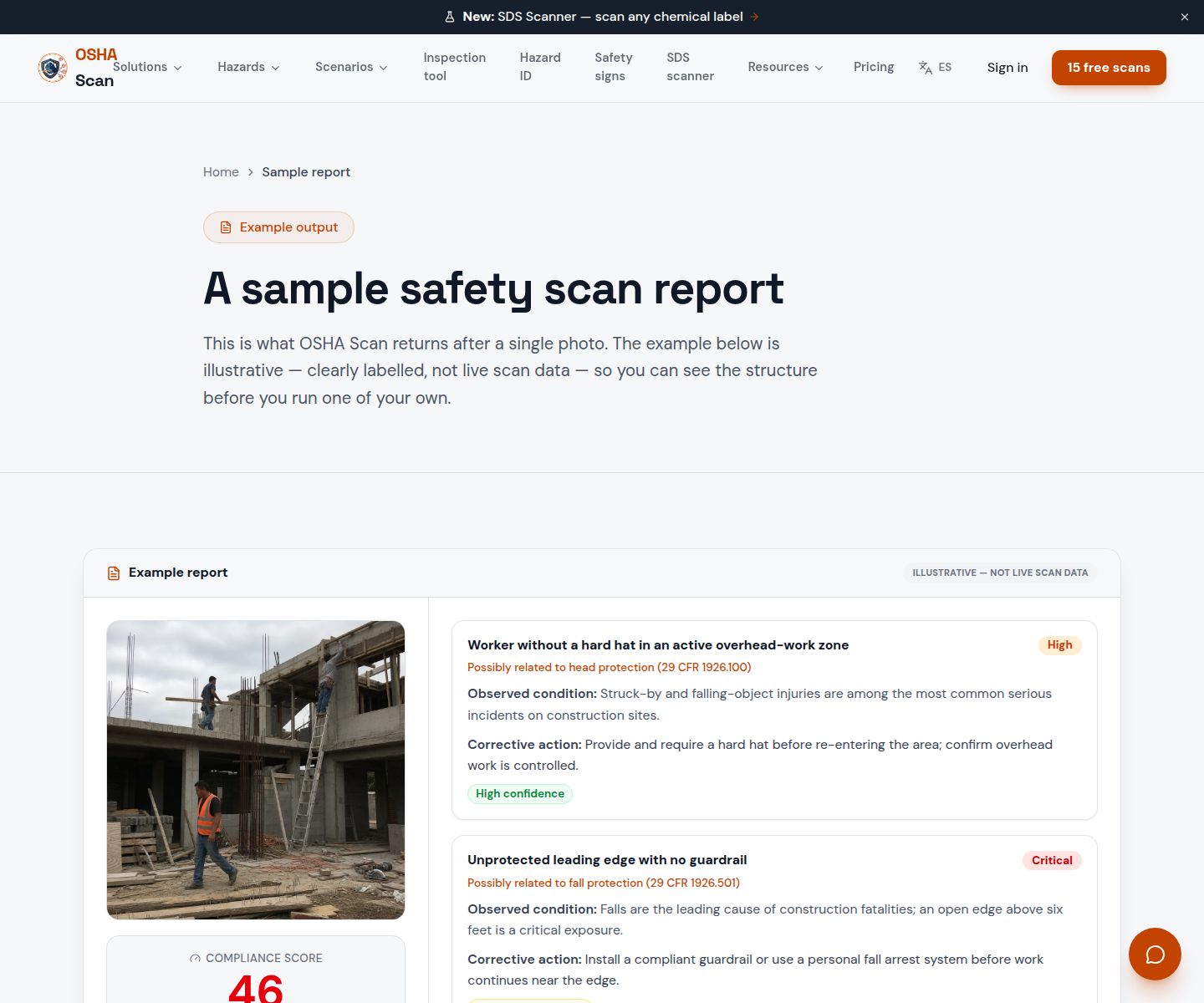
Scan a photo like the one above and this is the report you get — score, findings, OSHA references, and fixes. It is an illustrative example, clearly marked — not live scan data.
Compliance score
83
Lower means more potential hazards found
Score uses visible confirmed findings only. Not a safety certification.
2 confirmed · 0 need review · 0 positive
1Materials narrowing a marked pedestrian aisle
Possibly related to walking-working surfaces (29 CFR 1910.22)
Observed condition: Stored material can push pedestrians into equipment traffic and make access less predictable.
Corrective action: Move the materials to a designated staging area and restore the marked aisle width.
High confidence
2Portable fire extinguisher access partly blocked
Possibly related to portable fire extinguisher access (29 CFR 1910.157)
Observed condition: Emergency equipment must remain readily accessible when conditions change.
Corrective action: Clear the stored items and mark a keep-clear zone around the extinguisher.
High confidence
Upload a photo like the one above and get a compliance score and hazard count. No account needed to scan, though you may be asked for the free phone Access Pass — create a free account to unlock the full report.
Use the real site or facility name. If you save the scan after signup, it becomes the report name.
Three angles, one deeper scan
Only the wide shot is required — every extra angle gives the AI more places to look.
Required: Set the scene — one wide shot lets the AI sweep the whole area at once
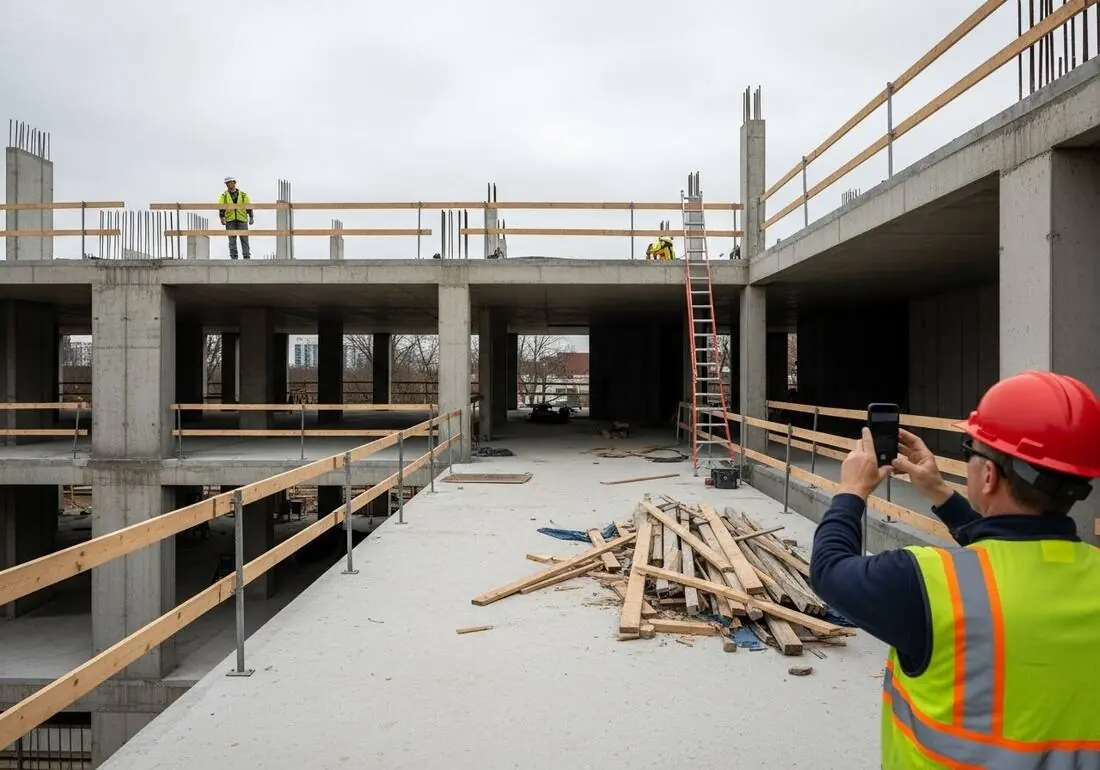
Stand at the entry point and capture corner to corner: floors, ladders, scaffolds, and everyone at work
Drop a job-site photo or walkthrough video
Click to upload, drag & drop, or snap a photo on site. Photos scan free with no signup and no card — you may be asked for the free phone Access Pass. Video walkthroughs (up to 3 min) run on a free account.
Small habits, sharper scans
Set the scene
Start with context
Fill the frame
2–3 ft for close-ups; keep ladders, cords and workers fully in view.
Capture clearly
Make the frame usable
Light it right
Keep the sun or lights behind you — glare and shadows hide hazards.
Tap to focus
Tap the hazard on screen and hold still one second — blur can't be flagged.
Choose the useful view
Give the AI room to understand
Go landscape
Turn your phone sideways — a wider frame catches more of the scene.
Only upload photos you have permission to use, and avoid images showing personal, customer, or confidential information. Demo photos and results are held privately for up to 48 hours so you can save them to a free account; unclaimed photos are deleted automatically. Results are an AI-assisted preliminary review, not an official OSHA determination.
New: Video walkthrough scans
Record up to 3 minutes of your site — the AI extracts frames and categorizes findings with exact timestamps. Free account required.
Get the best results
Wide shot first
Stand at the entrance and photograph the entire work area so AI sees the full context
Hazard areas
Photograph elevated surfaces, equipment, electrical panels, and anywhere workers are active
Close-ups last
Move in close on anything damaged, missing, or that looks risky — the AI catches more detail
Use consistent inspection evidence so dashboard trends remain useful.
Use one photo per area
A defined area keeps findings and scores tied to a useful location.
Repeat useful viewpoints
Comparable framing makes changes in visible conditions easier to interpret.
Verify every finding
A person on site should confirm or dismiss AI-assisted findings before relying on the record.
Mark checklist progress
Update suggested corrective actions from pending to completed as work is verified.
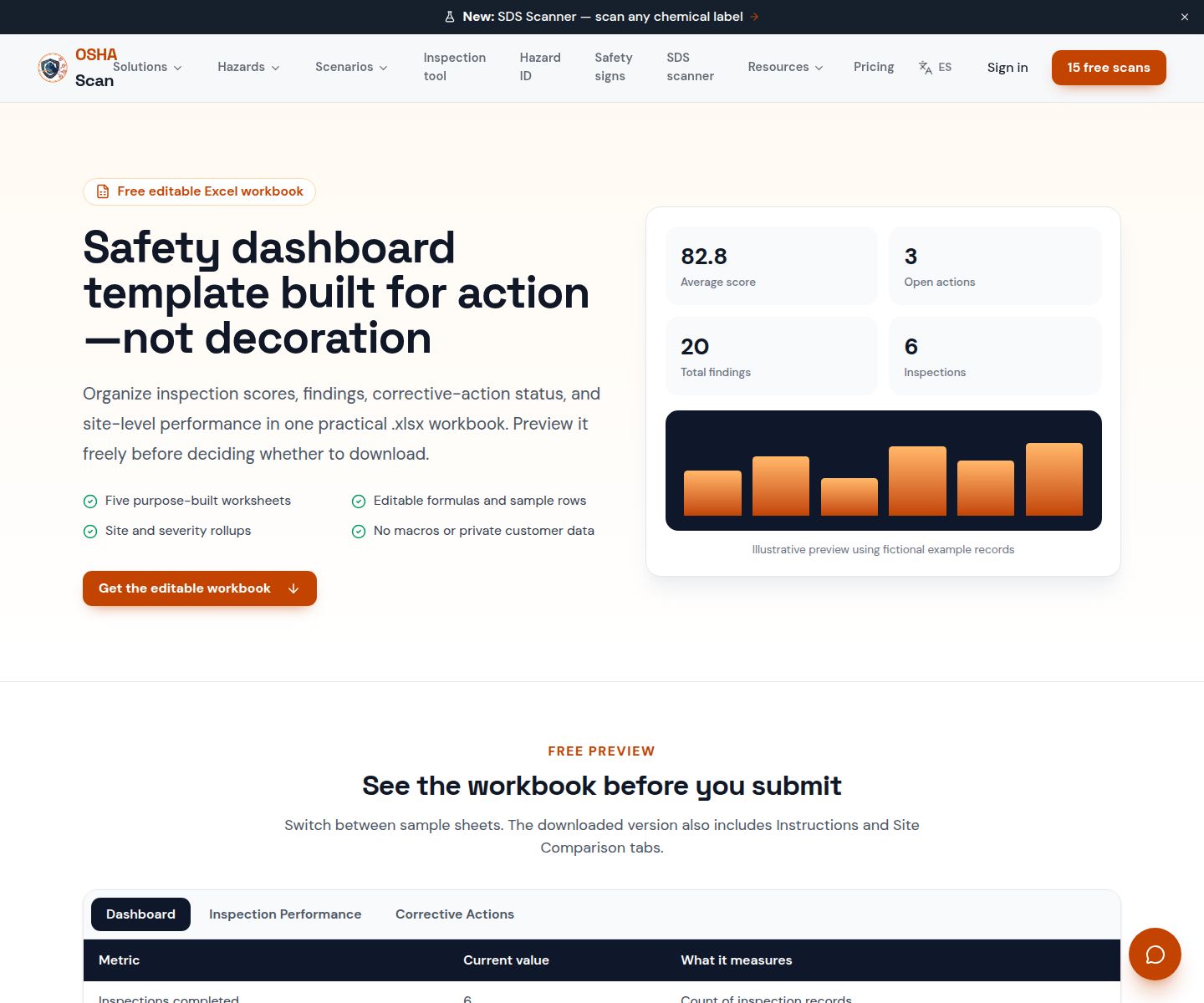
Preview the illustrative Excel dashboard layout before using the editable template.
View the safety dashboard templateOSHA Scan reads a single photo. That makes it fast and easy for anyone on site — but it also means it has real limits. Here's an honest look at both.
Snap a photo of the job site, and the AI categorizes findings against OSHA standards.
Each finding includes consistent corrective actions and structured JHA outputs. Check items off as your crew resolves them.
Every inspection gets a deterministic 0-100 compliance score derived from hazard severity, so you can track sites at a glance.
A prioritization aid based on recorded findings—not a certification or a complete measure of site safety.
Generate detailed inspection reports and export data to Excel for record-keeping and stakeholders.
A qualified person must review AI-flagged items before making safety decisions. Do not replace required comprehensive safety walkthroughs with AI reports. Features, limits, and downloads depend on your account’s plan and permissions.
Illustrative AI-assisted workflows. Review the findings; they are not a compliance certification.
A scan is a fast first look, not the final word. Before treating this kind of area as safe, a competent person should still confirm:
It is a view of saved inspection activity and results. OSHA Scan shows photo-inspection scores, visible findings, dated trends, recent inspections, locations, and corrective-action checklist progress.
It supports the inspection portion of EHS and HSE work. It does not claim to manage incidents, training, regulatory filings, or every EHS program.
No. The score summarizes visible findings from a photo and must be reviewed by a person. It is not an OSHA certification or agency determination.
Yes. Saved inspection reports can be exported as PDF or Excel for review and follow-up.
Yes. Scan a workplace photo free to see the visible-hazard count and score before creating an account; you may be asked for the free phone Access Pass.
Reviewed by OSHA Scan Editorial
This content is produced by the OSHA Scan Editorial team and reviewed with AI assistance. It is general safety information, not legal or compliance advice. OSHA Scan is an independent tool and is not affiliated with, endorsed by, or certified by OSHA or the U.S. Department of Labor.
Free PDF checklist
33 critical checks across 7 categories — the same visible gaps the AI scanner looks for. Sent to your inbox as a free PDF.
More ways to see what an AI OSHA scan can do for your site.
The overview hub — how the scanner works and every job, site, and hazard it covers.
Preview the editable Excel structure for scores, findings, severity, sites, and action status.
See how accepted findings become pending or completed checklist items.
Turn one workplace image into a saved report with PDF and Excel export.
Review the photo-based inspection workflow that supplies the dashboard.
See a complete labelled example of everything a scan returns.
Talk through photo inspections, location organization, and dashboard scope.
Book a DemoStart with one lifetime use per eligible scan type — no credit card. Build JHA-ready reports and catch changing conditions sooner.
Start your free trial