
How to read an SDS — the 16 sections and the four that matter at 2am
A safety data sheet has a standardized 16-section format, and you read it by knowing which sections do which job. Sections 1–3 identify the product and its hazards; 4 is first aid; 5 is fire-fighting; 6 is spill and release; 7 is handling and storage; 8 is exposure controls and PPE; 9–11 cover physical, stability, and toxicology data; and 16 gives the revision date. OSHA enforces the content of Sections 1–11 and 16; Sections 12–15 (ecological, disposal, transport, regulatory) may appear but OSHA does not enforce their content. In an emergency a worker only needs four — first aid (4), fire (5), spills (6), and PPE (8) — which is exactly why a 12-page PDF fails at 2am and why OSHA Scan surfaces those basics from the label while keeping the manufacturer's SDS one tap away.
Free · No account needed to scan · You may be asked for the free phone Access Pass
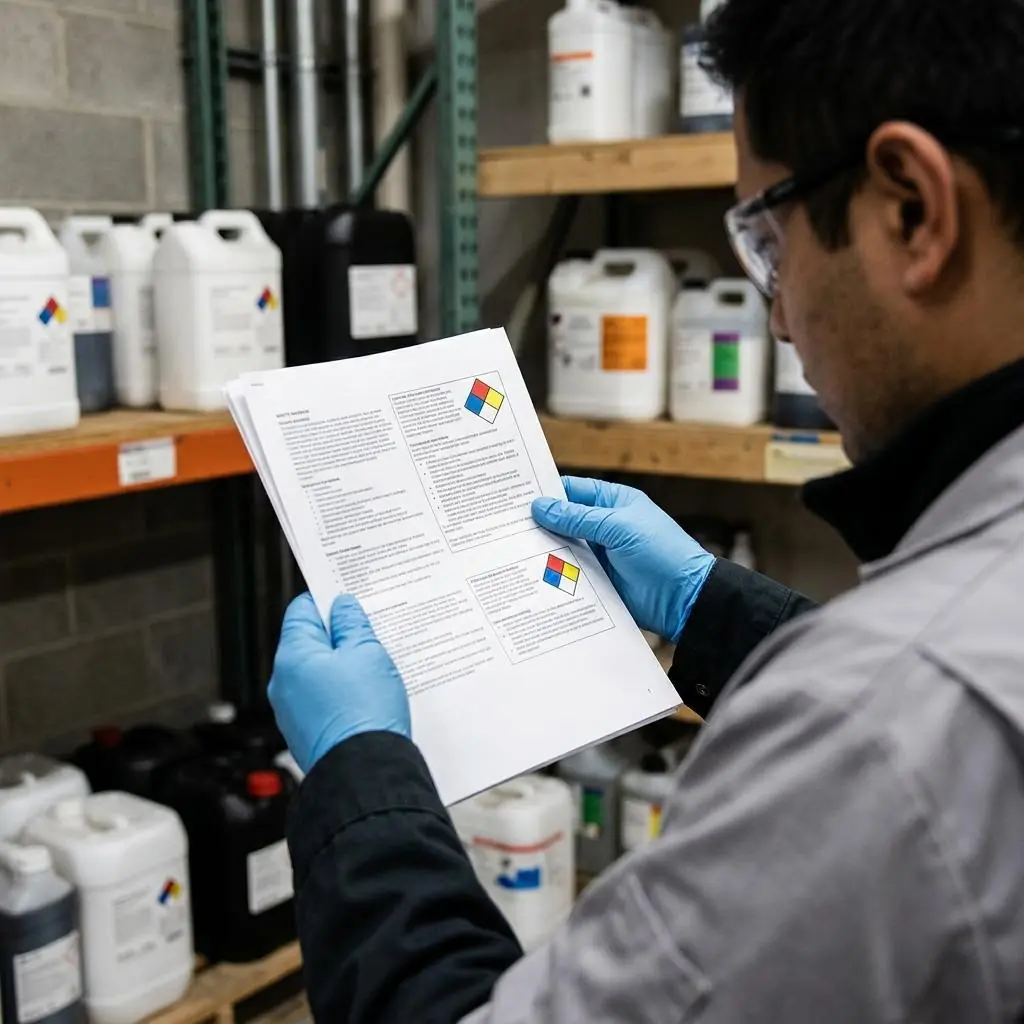
Why a 16-section PDF is the right document — and the wrong thing to hand a worker mid-emergency
The safety data sheet exists in a fixed 16-section order for a good reason: any worker, at any company, using any product, finds the same information in the same place. Once you know that first aid is always Section 4, fire is always Section 5, and PPE is always Section 8, an unfamiliar SDS stops being intimidating. The catch is length. A single sheet routinely runs 8 to 12 pages, dense with toxicology data, physical constants, and regulatory citations that matter to a chemist or an emergency planner but mean nothing to someone who just got a splash of degreaser in the eye. Handing that person a binder and expecting them to find the eye-flush instructions in the moment is a design failure, not a training failure.
The honest role for a tool here is narrow and useful. OSHA Scan reads a product label — not the SDS — and turns it into a chemical library card that surfaces the signal word, GHS pictograms, and first-aid basics at a glance, so the fast answers a worker needs in the moment are one screen away. The full manufacturer's SDS stays attached and one tap away for the detail the card cannot carry. The AI card is a fast index into the sheet, never a replacement for it: for a real exposure or a regulator's question, you open the manufacturer's SDS. Below, the full 16-section walk-through, then a checklist for reading any sheet with confidence.
The GHS format, the 2024 HCS update, and why the revision date in Section 16 matters more now
The 16-section SDS format comes from the Globally Harmonized System (GHS), which OSHA adopted into the Hazard Communication Standard so that sheets follow one consistent structure worldwide. OSHA specifies the required content for Sections 1 through 11 and Section 16 and treats Sections 12 through 15 as non-mandatory in content — they appear for completeness and because other countries and agencies use them, but a HazCom inspector is not enforcing what a manufacturer wrote in the ecological or transport sections. Understanding this split keeps a reader from over-trusting parts of the sheet OSHA never reviews, and from ignoring the parts — first aid, fire, PPE — where the enforced content directly protects the person holding the container.
OSHA's 2024 update to the Hazard Communication Standard revised elements affecting the information in several sections, including hazard classification and the details that flow into Sections 2, 3, 9, and 11, and the agency has adjusted transition deadlines as manufacturers bring labels and sheets into alignment. The practical consequence for anyone reading an SDS is that the revision date in Section 16 carries more weight than it used to: a sheet dated before a reformulation or before a manufacturer's transition to the updated requirements may not reflect the current classification. There is no automatic version monitoring in a tool like OSHA Scan — it does not fetch or alert on new revisions — so checking Section 16 against the product on the shelf and confirming the current sheet with the supplier stays a manual, human step.
How to read a Safety Data Sheet (SDS)
Run through these steps before crews start — each one covers a visible gap the AI can help you catch.
- 1
Confirm you have the right sheet (Section 1)
Match the product name, manufacturer, and product identifier in Section 1 of the SDS to the exact container in front of you. A near-match name — the same brand, a different formula — is the most common reason a worker ends up reading the wrong sheet.
- 2
Read the hazards at a glance (Section 2)
Go to Section 2 for the signal word, GHS pictograms, and hazard and precautionary statements. This is the fastest read of what the product can do and what precautions it demands — the same cues the container label carries.
- 3
Find the four emergency sections before you start (Sections 4, 5, 6, 8)
Locate first aid (4), fire-fighting (5), accidental release (6), and exposure controls and PPE (8) before beginning the task. These are the sections a worker needs in an incident, and reading them in advance means you are not searching a 12-page PDF during an emergency.
- 4
Check the technical data and revision date (Sections 9–11, 16)
Skim the physical, stability, and toxicology data in Sections 9–11 for planning, then check the revision date in Section 16 to confirm the sheet is current — remembering OSHA enforces Sections 1–11 and 16, not 12–15.
- 5
Make the sheet reachable at the point of use
Scan the product label into OSHA Scan to build a library card that surfaces signal word, pictograms, and first-aid basics, attach the manufacturer's SDS PDF, and print a QR poster at the storage location so the full sheet is one tap away for any worker. Free, no account needed to try a scan (you may be asked for the free phone Access Pass).
What the chemical library card surfaces from the label
Scan a product label and the AI reads these elements into a card that indexes the attached SDS — it does not replace the sheet.
Signal word & pictograms
The signal word (Danger or Warning) and GHS pictograms from the label — the same at-a-glance hazard cues Section 2 of the SDS formalizes.
First-aid basics
The label's first-aid statements surfaced up front, pointing to Section 4 of the attached SDS for the full eye, skin, and inhalation instructions.
Precautionary statements
The precautionary and handling cues from the label that map to Sections 7 and 8 — storage and the PPE a task calls for.
The full SDS, attached
The manufacturer's SDS PDF stays attached to the card and one tap away, so the 16-section detail is always the authoritative source.
Demo: the library entry a scanned label comes back with
An illustrative example for this trade — product identity, signal word, GHS pictograms, and hazard statements, filed and searchable.
Muriatic acid masonry cleaner (hydrochloric acid)
Example manufacturer
A strong acid like this is why knowing which SDS sections to read first — hazards, first aid, handling — matters before anyone opens the jug.
- H314 — Causes severe skin burns and eye damage
- H335 — May cause respiratory irritation
Now scan your own label — free
Photograph any chemical product on your shelf. The AI transcribes the label — no account needed to try it, though you may be asked for the free phone Access Pass.
- A plain-language walk-through of all 16 SDS sections and what each is for
- The four sections a worker actually needs in an emergency, called out
- A chemical library card that surfaces signal word, pictograms, and first-aid basics from the label
One lifetime free label scan
The 12-point guide to reading any SDS with confidence
Work through a sheet section by section with these points. The first four are free — leave an email to unlock the rest and scan your own chemical labels.
Free checklist — 12 points
Enter your email to unlock the full checklist
Read the checklist here after entering your email. A free account is required to download the PDF.
One email with the checklist, one follow-up. Unsubscribe anytime.
What the AI can and can't detect
OSHA Scan reads a single photo. That makes it fast and easy for anyone on site — but it also means it has real limits. Here's an honest look at both.
What it can catch from a photo
- The signal word and GHS pictograms on a product label
- First-aid and precautionary statements printed on the label
- Product name and manufacturer to match against the correct SDS
- Whether an SDS is attached and reachable from the library entry
What a photo can't tell it
- The full Section 4 first-aid detail that only the SDS carries
- Toxicological or physical data from Sections 9–11
- Whether the attached sheet is the current revision (Section 16)
- Regulatory or transport specifics in Sections 12–15
SDS digital library
Build a searchable chemical library from label photos. Review manufacturer SDS matches when available and follow the status of missing documents.
Missing-document requests enter a review queue; they do not automatically contact suppliers.
Job-site locations
Organize inspections by location and compare safety performance across every site you manage.
Team roles & permissions
Invite admins, managers, and supervisors with role-based access that keeps the right people in control.
A qualified person must review AI-flagged items before making safety decisions. Do not replace required comprehensive safety walkthroughs with AI reports. Features, limits, and downloads depend on your account’s plan and permissions.
See the workflow click into place
Illustrative AI-assisted workflows. Review the findings; they are not a compliance certification.
Always confirmed by a person on site
A scan is a fast first look, not the final word. Before treating this kind of area as safe, a competent person should still confirm:
- The product on the label exactly matches Section 1 of the attached sheet
- The revision date in Section 16 reflects a current version
- First-aid and PPE guidance in Sections 4 and 8 against the actual task
- Incompatibilities in Sections 7 and 10 against how the product is stored
People also ask
What are the 16 sections of a safety data sheet?
In order: (1) Identification, (2) Hazard identification, (3) Composition/ingredients, (4) First-aid measures, (5) Fire-fighting measures, (6) Accidental release measures, (7) Handling and storage, (8) Exposure controls/PPE, (9) Physical and chemical properties, (10) Stability and reactivity, (11) Toxicological information, (12) Ecological information, (13) Disposal, (14) Transport, (15) Regulatory information, and (16) Other information including the revision date. The order is fixed so the same information is always in the same place on any sheet.
Which SDS sections does OSHA actually enforce?
OSHA enforces the content of Sections 1 through 11 and Section 16 under the Hazard Communication Standard. Sections 12 through 15 — ecological information, disposal, transport, and regulatory information — may appear on the sheet and often do, but OSHA does not enforce their content because those areas fall under other agencies. It is worth knowing this so you do not treat a Section 14 transport classification as if OSHA has verified it.
Which SDS sections does a worker need in an emergency?
Four: Section 4 (first-aid measures), Section 5 (fire-fighting measures), Section 6 (accidental release measures), and Section 8 (exposure controls and PPE). Everything else supports planning, purchasing, and long-term hazard understanding. The problem is that these four are buried in an 8-to-12-page document, which is why OSHA Scan surfaces the label's first-aid and hazard basics up front and keeps the full manufacturer's SDS one tap away for the complete detail.
Is the chemical library card a replacement for the SDS?
No, and this boundary is deliberate. The card reads the container label — signal word, pictograms, first-aid and precautionary statements — into a fast, searchable index. It is a quicker way to reach the right sheet, not a substitute for it. For an actual exposure, a fire, or a regulator's question, you open the attached manufacturer's SDS, which is the authoritative 16-section document. The AI summary never replaces the SDS.
What is the difference between a container label and an SDS?
The label is the quick cue on the container: the product identifier, signal word, pictograms, and a few key hazard and precautionary statements. The SDS is the full reference, all 16 sections, produced by the manufacturer. You use the label to recognize a hazard fast, and you open the SDS for the complete first-aid, fire, spill, storage, and PPE detail. OSHA requires both — labels on containers and readily accessible sheets.
Reviewed by OSHA Scan Editorial
This content is produced by the OSHA Scan Editorial team and reviewed with AI assistance. It is general safety information, not legal or compliance advice. OSHA Scan is an independent tool and is not affiliated with, endorsed by, or certified by OSHA or the U.S. Department of Labor.
Keep exploring
More ways to see what an AI OSHA scan can do for your site.
The AI OSHA inspection tool
The overview hub — how the scanner works and every job, site, and hazard it covers.
SDS scanner
Photograph any chemical label to build a searchable library card.
Wrong SDS for a product
How near-match product names lead to the wrong sheet — and how to catch it.
Secondary container labeling
What the workplace label must carry when you transfer a product.
SDS accessibility requirements
What 'readily accessible during the shift' means for reaching the sheet.
OSHA 1910.1200 App D — Safety Data Sheets
The mandatory appendix defining the 16-section SDS format and content.
Official resource — osha.govA full sample report
See a complete labelled example of everything a scan returns.
Ready to secure your job sites?
Start with one lifetime use per eligible scan type — no credit card. Build JHA-ready reports and catch changing conditions sooner.
Start your free trial